Scani5 Network Scanner
Debian Installation Guide
Complete step-by-step guide to install and configure the Scani5 Network Scanner on Debian-based systems.
Table of Contents
1. Prerequisites
Before installing the Scani5 Network Scanner, ensure your system meets these requirements:
- Operating System: Debian 20.04 or later
- Architecture:
amd64(64-bit) - Dependencies:
nmap(automatically installed) - Permissions: Root or sudo access required for installation and initial configuration. The service itself runs as a dedicated
scani5user for security.
2. Download the Debian Package
Download the latest .deb package from the Scani5 releases page or your internal repository.
3. Install the Package
Step 1: Navigate to Package Location
cd /path/to/downloaded/package
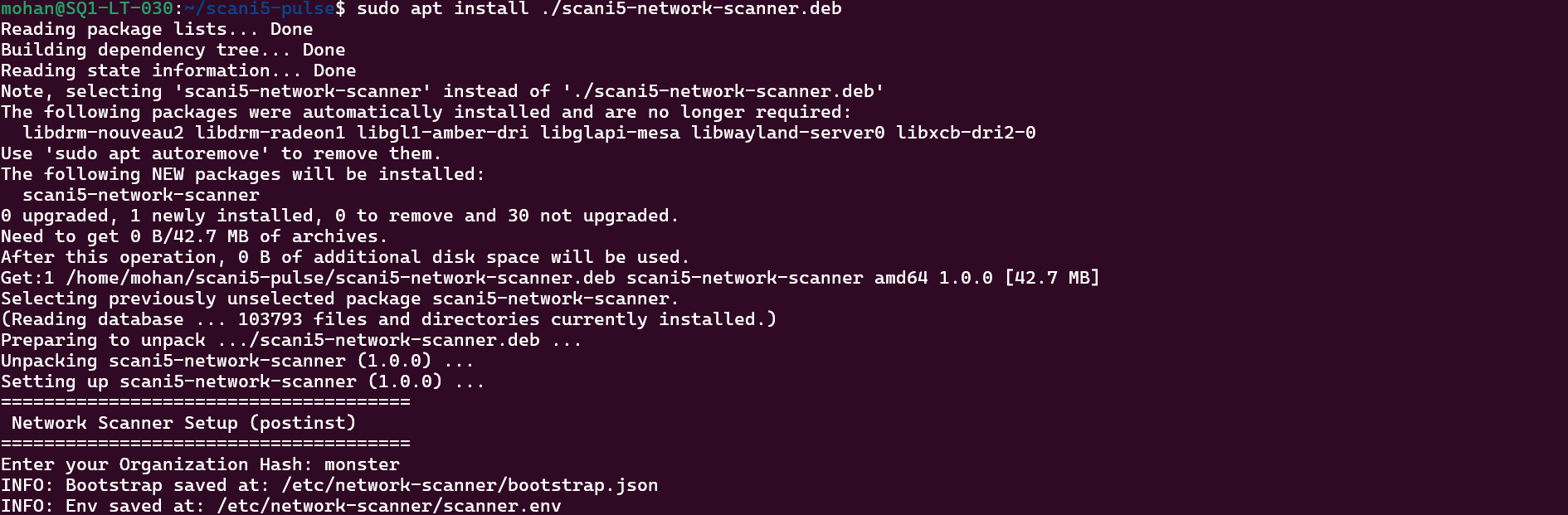
Step 2: Install the Package
sudo apt install scani5-network-scanner_1.0.0_amd64.deb
If there are dependency issues, run:
sudo apt install -f
The installation automatically creates a dedicated system user, scani5, for running the service securely. This user has limited privileges and is used to run the scanner process.
Step 3: Enter Organization Hash
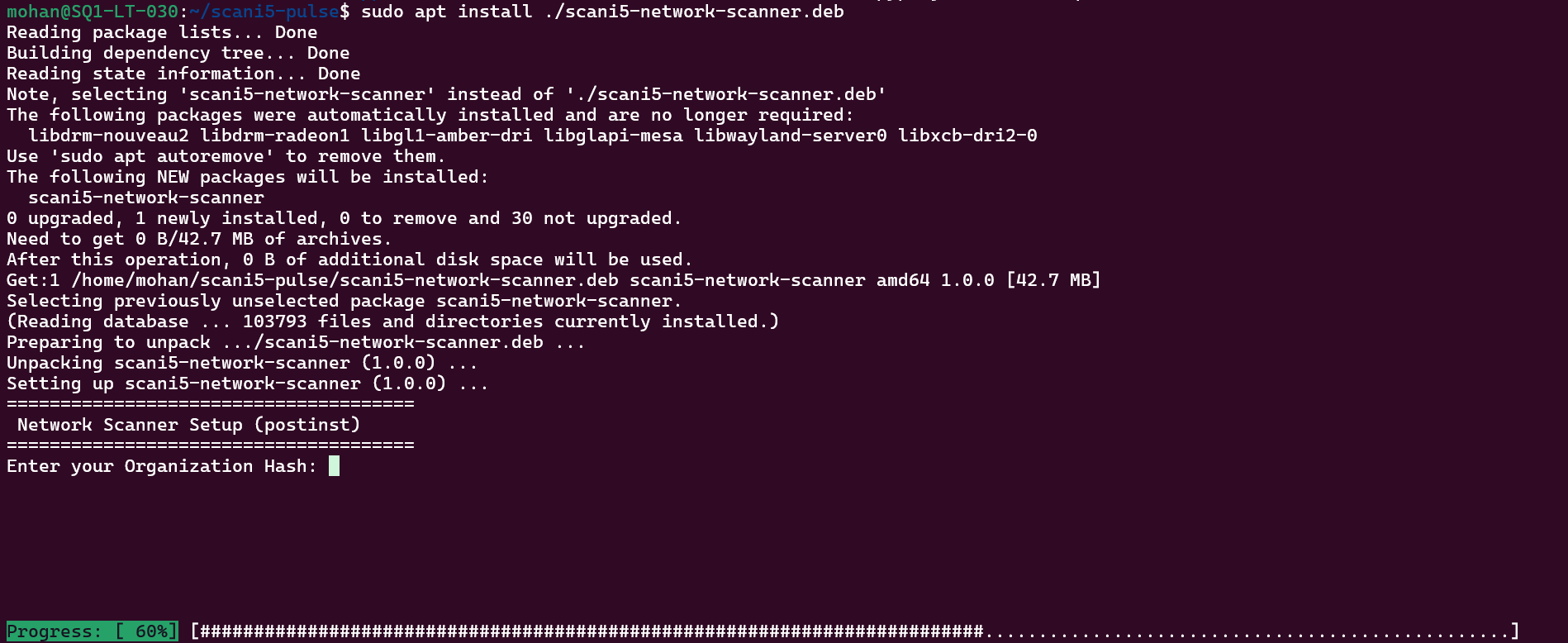
During installation, you will be prompted to enter your organization hash.
Enter your Organization Hash: [your-org-hash-here]
4. Verify Installation
Check Service Status
sudo systemctl status scani5-network-scanner
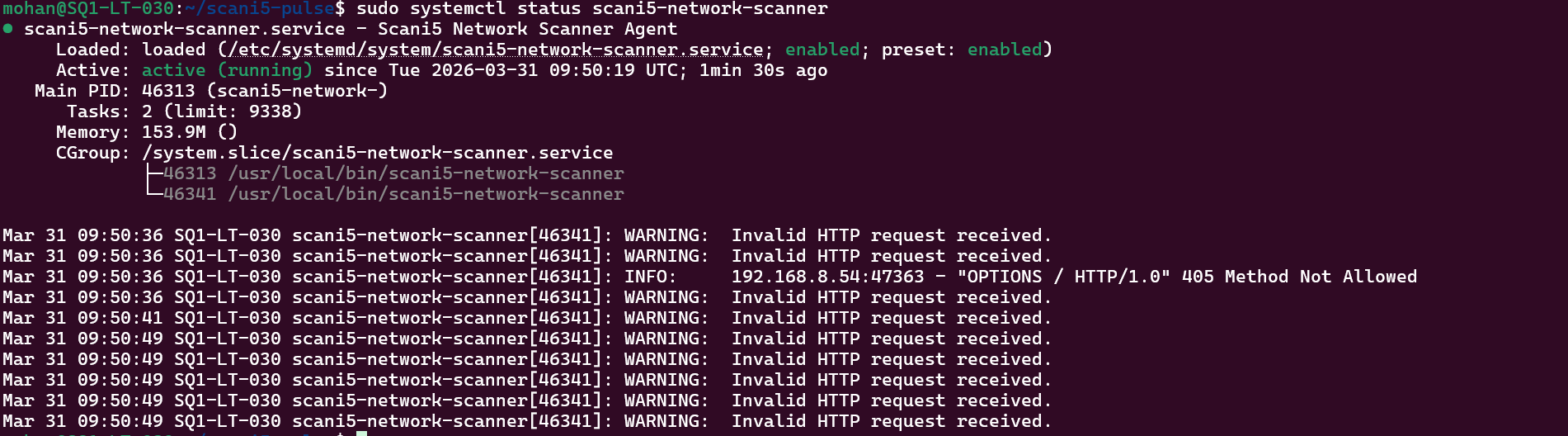
View Service Logs
sudo journalctl -u scani5-network-scanner -f

Test the Scanner
curl http://localhost:8000/health
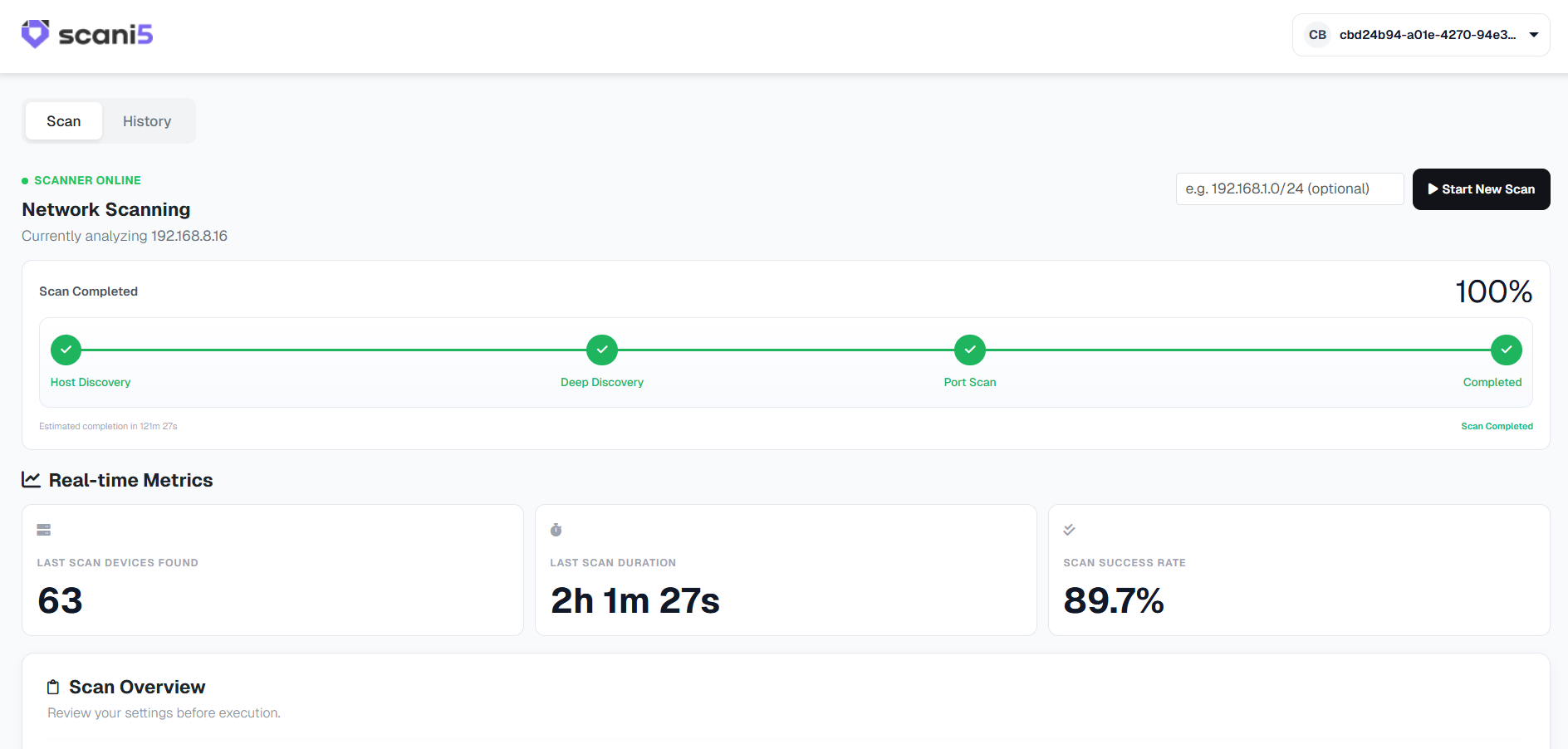
Once installed and running, you can access the Scani5 Network Scanner web interface at:
http://localhost:8000
Open this URL in your web browser to view the scanner dashboard and manage network scans.
5. Uninstallation
Remove Package (Keep Configuration)
sudo apt remove scani5-network-scanner
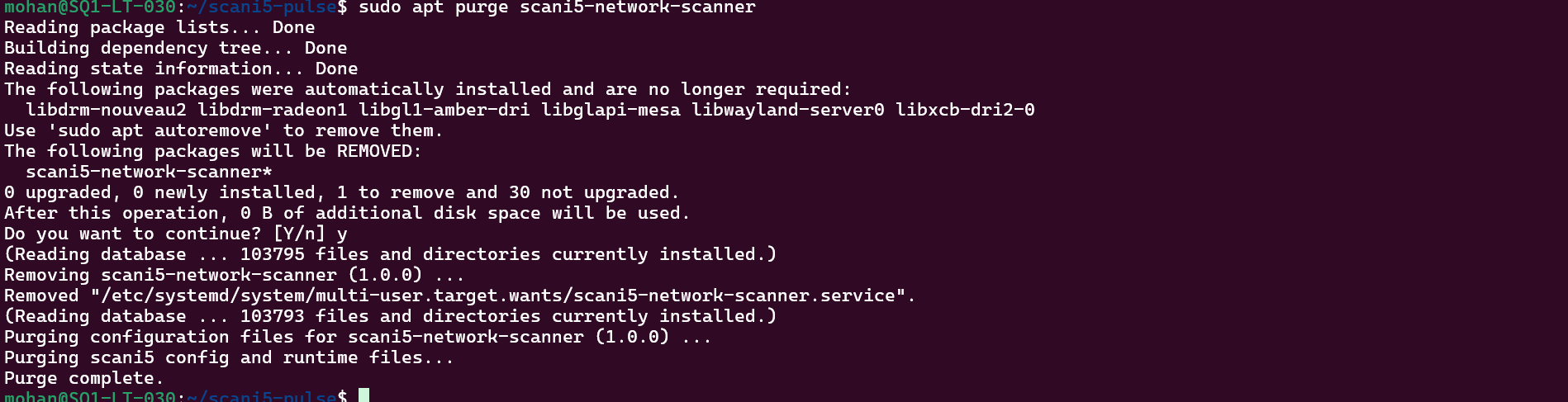
Remove Package and Configuration
sudo apt purge scani5-network-scanner
sudo rm -rf /etc/network-scanner /var/lib/scani5
Installation Complete
Your Scani5 Network Scanner is now ready to monitor your network.
Document Version: 1.0.0
Last Updated: March 2026
Scani5 Version: 1.0.0
For support: support@scani5.com
Documentation: docs.scani5.com